


Glora AI: Photo & Video Editor
4.355.00 Reviews
App Specs
- Version
- 0.8.0
- Updated On
- License
- Free
- Downloads
- 10,000+
- Developer
- Glora AI
- Categories
- Photography
- Platform
- Android
Screenshots
 Analysis by AppCompare
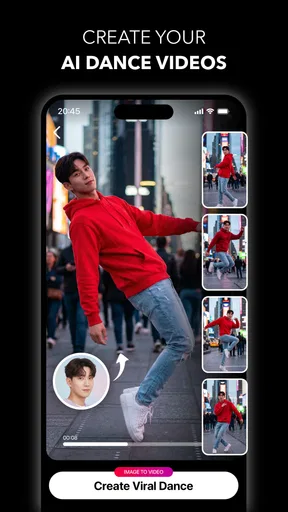
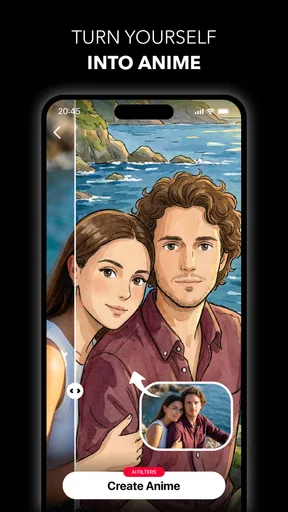
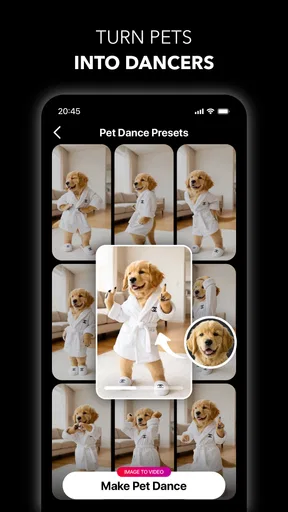
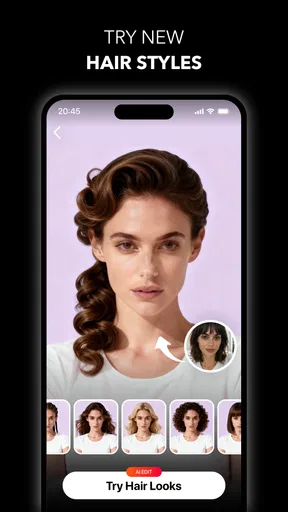
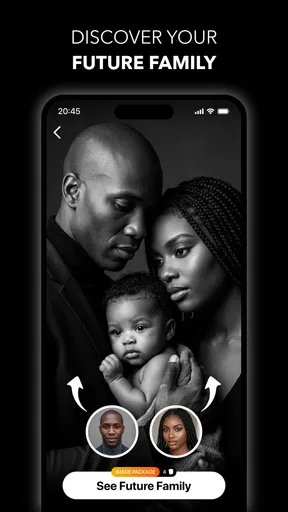
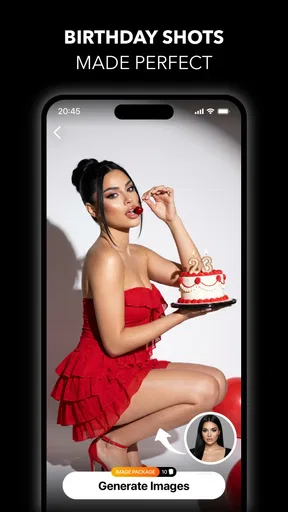
I approached Glora AI: Photo & Video Editor as something a household might pass around rather than as a specialist editing suite. That makes sense for a Photography app built around AI photos, short videos, anime-inspired transformations, hairstyle ideas, baby-themed generations, and general image edits. My first impression was that it is aimed at quick experimentation: choose a photo, try a visual direction, and see whether the result is worth saving or sharing.
That casual approach is its main appeal. You do not need to understand layers, masks, curves, or complicated timelines before trying something. At the same time, I would not treat it as a complete replacement for a conventional photo editor. Its value is in guided creative changes, while precise correction and dependable professional finishing still belong to more traditional tools.
How Glora AI fits into shared household use
A realistic use case is a shared tablet or a phone that different people in the home use at different times. One person may want to test a new hairstyle on a portrait, another may enjoy an anime treatment, and someone else may simply want to make a playful image for a message. Because the app covers both photos and videos, it can serve as a quick creative activity instead of being limited to one person’s editing routine.
I found that this kind of app works best when each person starts with a clear purpose. If you are preparing a profile image, choose a source photo where the face is easy to see. If you are making something humorous for friends, you can be more relaxed about realism. Separating those expectations matters because an AI transformation can be entertaining without being a faithful representation of how someone would actually look.
The household angle also changes how I judge convenience. A person who edits every day may want a consistent workspace and repeatable controls. A family member who opens the app occasionally usually cares more about getting to an interesting result quickly. Glora AI leans toward the second group. It is approachable for short sessions, especially when the goal is to explore several visual ideas rather than perfect one photograph.
One useful habit is to keep the original image untouched and treat every generated version as a separate experiment. That is particularly important with hairstyle and portrait effects. Even when the result looks good, it may change facial details, hair edges, lighting, or proportions in ways that are more obvious when compared with the original. Saving a copy first gives you room to try bolder edits without losing the starting point.
What each person should know before opening it
The app is free to install, which lowers the barrier for occasional household use. It also carries an Everyone content rating, so its general positioning is broad rather than aimed at a mature audience. That rating should not be confused with a promise that every generated result will suit every child or every family conversation; adults still need to guide how images are selected, shared, and interpreted.
Worth Reading Before You Choose

Flipboard Shows What News Apps Must Do Beyond the Feed

Switching to Android Auto Means Rethinking Your Driving Routine

Google Calendar Makes a Crowded Week Easier to Manage

Ludo King Makes the Most of the Minutes Between Plans

Baby Panda World Brings Quick Play to Modern Phones, but Its Game Library Feels Busy

ESPN’s Live Game View Makes Following Close Games Easier
There are in-app purchases ranging from $6.99 to $99.99 per item. That is the most important practical detail for a shared device. A free installation can invite curiosity, but purchase decisions should be agreed on before anyone begins exploring paid options. I would not hand the phone to a young child and assume that the free starting point automatically means the whole experience remains free.
For an adult or older teenager, the paid structure may be acceptable if the app produces a style they genuinely use. For a child who simply wants to try funny transformations once, it may be better to keep the session limited to the no-cost parts. The right choice depends less on the headline price than on whether the household has a clear rule about optional spending and image sharing.
Setup boundaries that make shared use easier
Before anyone begins, I recommend deciding whose photos are appropriate to use. A portrait of a family member is not automatically fair game just because it is stored on the device. Ask first, especially if the finished image could be embarrassing or if it will be sent outside the household. This is a simple boundary, but it prevents the app from turning a playful edit into an unwanted public image.
I would also establish a “review before sharing” rule. AI edits can look convincing at a glance while still producing odd hairlines, mismatched accessories, unnatural skin, or distracting movement in a video. Looking at the whole result before sending it catches problems that may be missed when viewing only a small preview. This is especially useful when one person creates an image for another person’s account or profile.
Another practical boundary is keeping personal projects separate in the device’s photo library. If several people use one phone, generated files can quickly become difficult to identify. Descriptive filenames or separate albums make it easier to find the right version later and reduce the chance of sharing someone else’s portrait by mistake. This is not a special Glora AI feature; it is a sensible workflow for any shared editing app.
The app runs on Android 8.0 or later, so compatibility is fairly broad for Android households with older devices. The current version is 0.8.0, which makes me more inclined to approach it as an evolving creative tool than as a finished professional workstation. In practice, I would keep expectations flexible: try the app for the specific effect you want, but avoid building an important deadline around an experimental editor until you know how it behaves on your device.
Coordinating edits without stepping on each other
Shared use becomes smoother when people agree on a small sequence: choose the source, make the edit, inspect the result, and then decide whether to save or share it. That sounds obvious, but it prevents the common household problem of someone else opening the app midway through a project and not knowing which version is final.
For a group activity, I would let each person suggest a direction before editing. One person can choose the portrait, another can pick the anime look, and a third can judge whether the result still resembles the subject. This turns the app into a short creative collaboration rather than a queue of unrelated experiments. It also gives younger users a chance to discuss why an image feels funny, flattering, strange, or unrealistic.
There is a useful trade-off between speed and control here. AI editing can produce a result faster than manually recreating the same look, but the user often has less influence over every small detail. If the household wants a quick birthday image, that trade-off is reasonable. If someone needs exact colors, a carefully positioned crop, or a repeatable brand style, a conventional editor will usually be the better partner.
For videos, I would be more cautious about judging the first frame alone. A still image may look acceptable while movement reveals flicker, unstable details, or a transformation that changes from one moment to the next. Watching the complete clip before sharing is one of the most valuable habits I would recommend. It takes longer, but it protects against the most obvious quality surprises.
Age, trust, and the meaning of an AI result
The Everyone rating makes the app approachable for a broad audience, yet AI imagery still needs context. A child may read a generated hairstyle or face edit as a prediction rather than a playful possibility. Adults can help by explaining that the result is a computer-made variation, not a statement about appearance, identity, or what someone “should” look like.
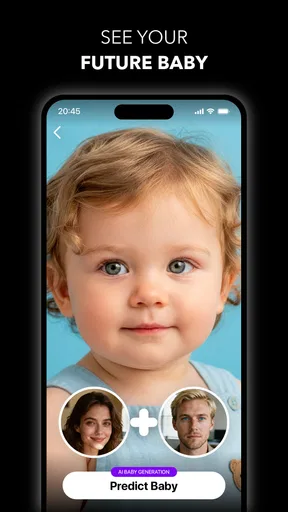
Baby-themed generation deserves extra care in a household. It can be used for harmless imagination, such as picturing a fictional future character, but people should avoid presenting generated images as real family records. Clear labels and honest captions are worthwhile whenever an image could be mistaken for an actual photograph.
Trust also applies to other people’s faces. I would avoid using a classmate’s, colleague’s, or neighbor’s image without permission, even if the intended result is a joke. The easier an app makes transformation, the easier it is to forget that the original person still matters. A household rule based on consent is more useful than relying on the novelty of the effect to guide behavior.
For teenagers, the app can be a creative outlet, but it may also encourage comparison if every result is treated as an improvement. I prefer using the editor to explore characters, moods, or visual storytelling rather than to judge someone’s natural appearance. That framing keeps the experience playful and reduces pressure to make every portrait look polished or idealized.
Where it stands beside ordinary photo editors
Compared with a standard phone gallery editor, Glora AI offers a more imaginative starting point. A gallery editor is usually better for cropping, rotating, correcting exposure, and making small adjustments that should remain faithful to the original. Glora AI is more interesting when the goal is to change the concept of the image rather than simply tidy it.
Compared with a full desktop editor, it is likely to feel lighter and less exact. Professionals who need detailed selections, controlled retouching, color management, or repeatable templates may find AI-led experimentation too unpredictable. I would use a traditional tool after Glora AI when an output needs careful cleanup, precise typography, or a consistent appearance across a set of images.
Its strongest position is between those two extremes: more playful than a basic editor, less demanding than a professional suite. That makes it a reasonable choice for social posts, creative messages, personal experiments, and family activities. It is not the app I would choose when the central requirement is technical control.
Small workflow choices that improve the results
Start with a clean, well-lit source rather than assuming the AI will repair everything. A clear face and uncluttered background give the transformation a better foundation. This is particularly helpful for hairstyle experiments, where loose hair, hats, and heavy shadows can make it harder to judge whether the new look is convincing.
Try a restrained edit before a dramatic one. A subtle change gives you a useful reference for how the app handles the subject, while an extreme transformation can hide whether the underlying facial structure or lighting has been preserved. Once you understand the style, you can decide whether a stronger result is genuinely better or merely more noticeable.
For household projects, keep a simple naming habit such as the person, theme, and date in the file name or album title. This is a non-obvious improvement because AI experiments tend to multiply quickly. It saves time when someone asks for the version with a different hairstyle or wants to compare an anime treatment with the original.
Finally, inspect the edges and the background, not just the face. AI edits often attract attention to the main subject, but a distorted hand, repeated object, or strange transition can make the entire image feel unfinished. A quick full-frame review is more reliable than deciding from the most flattering crop.
Who should use it, and who should skip it
I can recommend Glora AI to people who enjoy visual experimentation, want quick ideas for portraits, or need a lightweight creative activity on an Android device. It is also a good fit for households that can agree on photo consent, sharing rules, and purchase boundaries before passing the device around.
I would be less enthusiastic for someone who needs dependable professional output, exact retouching, or a large project with consistent results from image to image. The same caution applies to users who dislike trial and error. AI effects are appealing partly because they surprise you, but that also means the first attempt may not be the version you want.
The app has an average rating of 4.2 from around 500 ratings, with roughly 50 written reviews, and it has passed 10 thousand installs. Those figures suggest a modest but real audience rather than a mature, universally established editing platform. I would interpret that as a reason to test it for your own workflow instead of assuming it will match the polish or reliability of a long-standing editor.
My household verdict
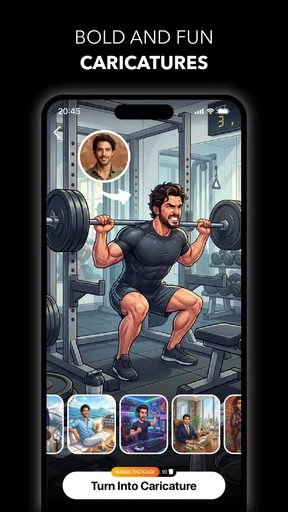
After looking at it through a shared-device lens, I see Glora AI as a playful idea generator rather than a complete photo studio. Its combination of AI portraits, anime-style creativity, hairstyle exploration, baby-themed images, and video editing gives different people in a home several reasons to open it. The free entry point helps with casual testing, while the in-app purchase range means adults should set expectations before anyone starts exploring beyond the free experience.
The best results come from treating each generation as a draft, checking the complete image or video, and keeping the original safely separate. Consent matters just as much as visual quality when several people share one device. With those habits, the app can support a fun evening project, a quick social image, or a low-pressure way to explore a new look.
I would choose a conventional editor for accuracy and a professional suite for demanding work. For a household that wants fast, imaginative transformations and understands that AI results need review, I think this app is worth trying. Just keep its strengths in perspective: it makes experimentation easy, but the final judgment still belongs to the person holding the phone.
Pros
- AI tools quickly enhance photos and create polished results.
- Background removal works well for portraits and product images.
- Includes creative filters
- effects
- stickers
- and adjustment controls.
- Simple interface makes basic editing accessible to beginners.
- Useful templates help create social media content faster.
Cons
- Some advanced AI features may require a subscription or credits.
- Results can vary noticeably with low-quality or poorly lit images.
- Export options may be limited unless you upgrade to premium.
- Heavy effects can make edits look artificial or overly processed.
- The app may require substantial storage for assets and cached projects.
FAQs for Glora AI: Photo & Video Editor
What is Glora AI: Photo & Video Editor used for?
Glora AI: Photo & Video Editor is designed for creating and enhancing visual content directly from a mobile device. It combines photo editing, video editing, AI-powered effects, creative filters, templates, and adjustment tools in one app. It can be useful for social media posts, profile pictures, short videos, collages, and quick creative projects without requiring advanced editing experience.
Does Glora AI require an internet connection to work?
Some basic editing functions may work with limited or no internet access, especially when using tools and effects already included in the app. However, AI-powered features, cloud processing, online templates, content downloads, and certain updates may require a stable connection. Availability can also depend on the specific tool being used, so offline functionality should not be assumed for every feature.
Is Glora AI: Photo & Video Editor free to download and use?
Glora AI can generally be downloaded without an upfront charge, but the app may include optional premium features, subscriptions, advertisements, or in-app purchases. Advanced AI effects, exclusive templates, export options, or additional creative resources may be limited to paid users. Before confirming a purchase, review the pricing, billing frequency, and trial conditions shown in the relevant app store.
Can Glora AI edit both photos and videos?
Yes, the app is intended to support both photo and video editing, making it possible to work on different types of content from the same mobile interface. Depending on the version and device, users may be able to apply filters, effects, adjustments, text, transitions, music, or AI enhancements. Features and export limits can vary between Android and iOS releases.
Is Glora AI suitable for beginners, and what permissions does it need?
Glora AI is aimed at users who want quick results without learning complicated professional software. Its guided tools, presets, and AI features can make common edits accessible to beginners, although some options may take time to understand. The app will normally request access to photos or videos, and possibly camera, microphone, or storage functions when those features are used.


